Lumtera Pro pricing
Every plan has page checks, form tests, the evidence log, the fixes queue, reports and the VPAT 2.5 ACR. Choose by how many sites you look after.
Updated for Lumtera 1.3.0 and Lumtera Pro 1.2.0.
Plans
You're using Lumtera free — Pro installs alongside it. Keep the free plugin active: your settings and results stay, with nothing to migrate.
Already have Pro? Upgrade from your account to a bigger plan.
-
For one website
Personal
$149 / year
Renews at $149 a year, for updates and support.
$499 once
One payment, no renewals. Updates and support for the life of the product. Costs about the same as 3.3 years of yearly.
1 site14-day refund (opens in a new tab)Keeps working if you don't renew
Any single site: a blog, a shop, a nonprofit or a small business.
- Page checks of key pages at desktop and phone width, with the free keyboard walk run on every page checked
- Scheduled checks of up to 25 pages a run, with alerts
- Form tests, and hover, focus and pressed-state contrast
- Tamper-evident evidence log, test sessions and compare scans
- Fixes queue: up to 25 fixes a run, each approved by a person
- Branded client reports and the VPAT 2.5 conformance report
- PDF checks, signed-in checks for one role, fix tracking, issue trackers and webhooks
-
Recommended
For up to 5 sites
Growth
$299 / year
Renews at $299 a year, for updates and support.
$899 once
One payment, no renewals. Updates and support for the life of the product. Costs about the same as 3 years of yearly.
5 sites $59.80 per site a year $179.80 per site, once14-day refund (opens in a new tab)Keeps working if you don't renew
- Everything in Personal, for 5 sites
- Client portfolio with up to 5 client sites
- White-label reports, client emails and share links
- Consistency checks across pages
- 100 pages a scheduled run, 100 fixes a queue run
-
For up to 25 sites
Agency
$599 / year
Renews at $599 a year, for updates and support.
$1,799 once
One payment, no renewals. Updates and support for the life of the product. Costs about the same as 3 years of yearly.
25 sites $23.96 per site a year $71.96 per site, once14-day refund (opens in a new tab)Keeps working if you don't renew
- Everything in Growth, for 25 sites
- Signed-in checks for any number of roles, not just one
- An approval rule: nobody approves their own fix
- Multisite network overview and one network license
- Client portfolio with up to 25 client sites
- 250 pages a scheduled run, 250 fixes a queue run
-
For any number of sites
Unlimited
$999 / year
Renews at $999 a year, for updates and support.
Unlimited is sold yearly only.
Unlimited sites14-day refund (opens in a new tab)Keeps working if you don't renew
- Everything in Agency
- No limit on sites, and no set number of client sites
- 500 pages a scheduled run, 500 fixes a queue run
14-day refund, yearly and lifetime. Not the right fit? Ask for a full refund within that time, no reason needed.
Yearly plans keep working if you stop renewing. Pro stays active on your sites; renewing keeps updates and support coming.
Already have Pro? Upgrade from your account to a bigger plan.
An add-on, not a switch. Pro installs next to the free plugin. Your settings, results and fixes stay.
What Pro hands you: real samples
Made by Lumtera Pro on a fictional demo bakery site, and labelled as samples on every page. Not a real audit.
Sample, demo site
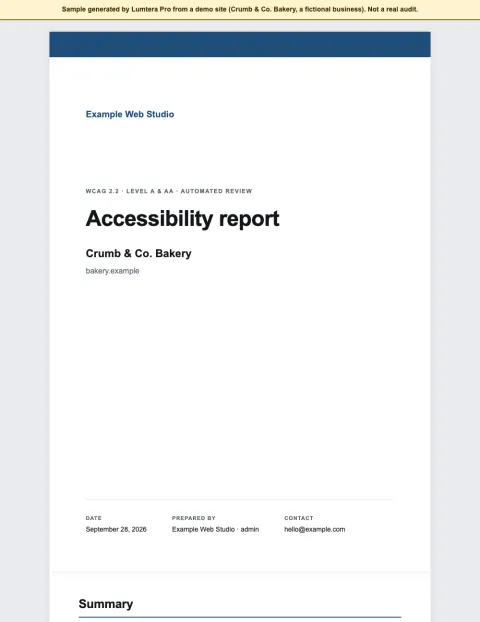
Client report
A white-label report: summary, the WCAG 2.2 checklist, issues with fixes, findings by page and live page checks.
Open the sample client report (PDF, 708 KB)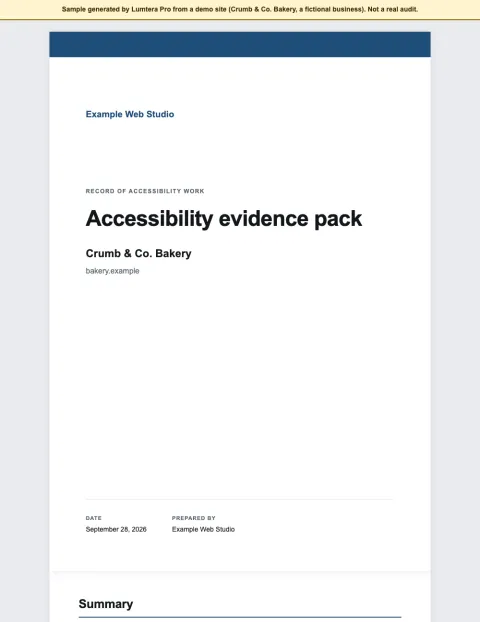
Sample, demo site
Evidence pack
The dated record of the work: manual test results, score history and the ledger that shows nothing was edited afterwards.
Open the sample evidence pack (PDF, 275 KB)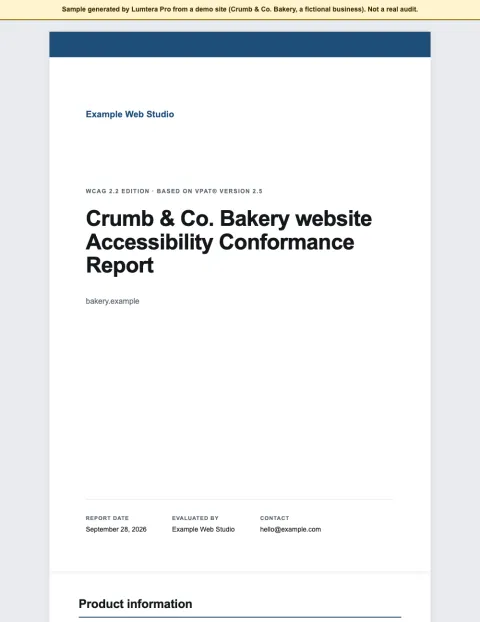
Sample, demo site
Conformance report (VPAT 2.5)
An Accessibility Conformance Report drafted from the results, with every criterion that needs a person marked for review.
Open the sample conformance report (PDF, 331 KB)
Only need the checker?
The free plugin runs all 88 content checks and 38 whole-page checks, keyboard included, with fixes you approve and undo, site parts, the coverage meter, guided checklists, the EAA toolkit, CSV export and WP-CLI baselines. No account and no page limits. Lumtera Pro adds on top of it.
Compare every feature
Grouped by the job it does. Free is shown for reference: every paid plan includes the whole free plugin.
| Feature | Free | Personal | Growth | Agency | Unlimited |
|---|---|---|---|---|---|
| Sites | Unlimited | 1 | 5 | 25 | Unlimited |
| Pages in each scheduled check run | Home page, weekly (when on) | 25 | 100 | 250 | 500 |
| Fixes in each fixes-queue run | One at a time, with undo | 25 | 100 | 250 | 500 |
| Client sites in the portfolio | Not included | Not included | 5 | 25 | No set number |
| One license for a whole multisite network | No license needed | No | No | Yes | Yes |
| Price per year | Free | $149 | $299 | $599 | $999 |
| Lifetime price, paid once | Free | $499 | $899 | $1,799 | Yearly only |
| Find and fix while you write | |||||
| Live checks in the block editor | Yes | Yes | Yes | Yes | Yes |
| One-click quick fixes | Yes | Yes | Yes | Yes | Yes |
| Fixes you approve, with undo | Yes | Yes | Yes | Yes | Yes |
| Live checks in Elementor | Yes | Yes | Yes | Yes | Yes |
| Review mode on the live page | Yes | Yes | Yes | Yes | Yes |
| Alt text manager | Yes | Yes | Yes | Yes | Yes |
| AI alt text suggestions | Yes | Yes | Yes | Yes | Yes |
| AI link text, heading and summary suggestions | Yes | Yes | Yes | Yes | Yes |
| Guided checklists | Yes | Yes | Yes | Yes | Yes |
| Pre-publish check | Yes | Yes | Yes | Yes | Yes |
| Page builders, block libraries and ACF | Yes | Yes | Yes | Yes | Yes |
| See the whole site | |||||
| Site-wide report and bulk checking | Yes | Yes | Yes | Yes | Yes |
| Fix at the source, with site parts | Yes | Yes | Yes | Yes | Yes |
| Honest coverage meter | Yes | Yes | Yes | Yes | Yes |
| CSV export of the content report | Yes | Yes | Yes | Yes | Yes |
| Adjustable checks and dismissals | Yes | Yes | Yes | Yes | Yes |
| Accessibility statement generator | Yes | Yes | Yes | Yes | Yes |
| Accessibility feedback form and inbox | Yes | Yes | Yes | Yes | Yes |
| ADA Title II exception tags | Yes | Yes | Yes | Yes | Yes |
| Site fixes for theme problems | Yes | Yes | Yes | Yes | Yes |
| Reading level | Yes | Yes | Yes | Yes | Yes |
| WP-CLI and CI checks | Yes | Yes | Yes | Yes | Yes |
| Works with AI assistants | Yes | Yes | Yes | Yes | Yes |
| Any post type, including WooCommerce products, with no page limits | Yes | Yes | Yes | Yes | Yes |
| Permissions and a weekly email summary | Yes | Yes | Yes | Yes | Yes |
| A weekly home page check, when you turn it on | Yes | Yes | Yes | Yes | Yes |
| Dismissed view: who dismissed each issue, when and why, with Restore | Yes | Yes | Yes | Yes | Yes |
| Settings export and import, multisite network defaults and Site Health tests | Yes | Yes | Yes | Yes | Yes |
| Test live pages | |||||
| Whole-page review | Yes | Yes | Yes | Yes | Yes |
| Keyboard walk and widget tests | Yes | Yes | Yes | Yes | Yes |
| Screen reader preview | Yes | Yes | Yes | Yes | Yes |
| Contrast everywhere, with a palette fixer | Yes | Yes | Yes | Yes | Yes |
| Page checks for key pages and templates | No | Yes | Yes | Yes | Yes |
| Scheduled page checks | No | Yes | Yes | Yes | Yes |
| Rendered checks without a cloud | No | Yes | Yes | Yes | Yes |
| AI rules with your own provider | No | No | Yes | Yes | Yes |
| Form tests | No | Yes | Yes | Yes | Yes |
| Hover and focus contrast, and the carousel check | No | Yes | Yes | Yes | Yes |
| Signed-in checks | No | 1 role | 1 role | Any number of roles | Any number of roles |
| Consistency across pages | No | No | Yes | Yes | Yes |
| PDF accessibility checks | No | Yes | Yes | Yes | Yes |
| Catch regressions and fix at scale | |||||
| Get told when a publish or theme update adds new automated errors | No | Yes | Yes | Yes | Yes |
| Email and Slack alerts | No | Yes | Yes | Yes | Yes |
| Compare scans | No | Yes | Yes | Yes | Yes |
| Fixes queue: bulk fixes you review and approve | No | Yes | Yes | Yes | Yes |
| Fix tracking | No | Yes | Yes | Yes | Yes |
| Ignore everywhere | No | Yes | Yes | Yes | Yes |
| Issue trackers: GitHub, GitLab, Jira, Linear, Asana, ClickUp and Trello | No | Yes | Yes | Yes | Yes |
| Webhooks for Slack, Teams and your own tools | No | Yes | Yes | Yes | Yes |
| Activity log | No | Yes | Yes | Yes | Yes |
| Score history per page and for the site, and a richer Monday digest | No | Yes | Yes | Yes | Yes |
| Scheduled checks on a staging site behind an HTTP password | No | Yes | Yes | Yes | Yes |
| Approval rule: nobody approves their own fix | No | No | No | Yes | Yes |
| 6 more AI assistant abilities, including applying fixes a person approved | No | Yes | Yes | Yes | Yes |
| Prove the work | |||||
| Show dated proof of your remediation work | No | Yes | Yes | Yes | Yes |
| Response targets and burden records | No | Yes | Yes | Yes | Yes |
| Accessibility Conformance Report (VPAT 2.5) | No | Yes | Yes | Yes | Yes |
| Tamper-evident evidence log and evidence pack | No | Yes | Yes | Yes | Yes |
| Test sessions | No | Yes | Yes | Yes | Yes |
| Conformance report editions for Revised Section 508 and EN 301 549 | No | Yes | Yes | Yes | Yes |
| Recurring manual test sessions with reminders | No | Yes | Yes | Yes | Yes |
| Serve clients | |||||
| Deliver white-label monthly reports for clients | No | No | Yes | Yes | Yes |
| Branded client reports | No | Yes | Yes | Yes | Yes |
| White-label reports | No | No | Yes | Yes | Yes |
| Client emails and share links | No | No | Yes | Yes | Yes |
| Client portfolio | No | No | Yes | Yes | Yes |
| Network settings sync | No | No | No | Yes | Yes |
| Multisite network overview | No | No | No | Yes | Yes |
| Read-only client login (the Accessibility client role) | No | Yes | Yes | Yes | Yes |
| Report presets, an executive summary and a spreadsheet export for Excel | No | Yes | Yes | Yes | Yes |
| Updates and support | |||||
| Support | Community forum | Direct email | Direct email | Direct email | Direct email |
| First reply, Monday to Friday | No set time | Within 2 business days | Within 1 business day | Same business day | Same business day |
| Updates | New releases as a .zip; upload to update | Automatic, with the changelog in View details | Automatic, with the changelog in View details | Automatic, with the changelog in View details | Automatic, with the changelog in View details |
| Get started | Download free plugin (downloads lumtera.zip from WordPress.org) | ||||
14-day refund (opens in a new tab)Keeps working if you don't renew
What contacts the internet
Nothing is sent anywhere by default. This is the full list.
Free plugin
- Checks, fixes, reports and the feedback inbox run and are stored inside your WordPress. There is no account and no tracking.
- AI suggestions, only if you turn them on: sent to the AI provider you connect to WordPress, and only when someone clicks a button such as Suggest.
- The Akismet spam check for the feedback form, only if you turn it on: off by default, and it needs the Akismet plugin.
Lumtera Pro adds
- A license and update check with the MantraBrain store, which sends your license key, site address and plugin version.
- Slack alerts, webhooks, issue trackers and client emails, only to the services and people you set up.
- The client portfolio, which talks directly to your client sites. No MantraBrain service is in between.
Pricing questions
Something else on your mind? Contact support
Will the free plugin stay free?
Yes. Every check in the free plugin, and fixing issues one at a time with undo, stays free, with no page limits and no license. So do review mode with the keyboard walk, the site report, CSV export, the coverage meter, guided checklists, the EAA toolkit, WP-CLI and AI suggestions through your own provider. Pro adds work across many pages, evidence, bulk fixes and client tools on top.
Which plan do I need?
Every plan has page checks, scheduled checks, form tests, signed-in checks for one role, PDF checks, the evidence log, the fixes queue, branded client reports, the VPAT 2.5 conformance report in WCAG 2.2, Revised Section 508 and EN 301 549 editions, seven issue trackers, rendered checks without a cloud, and a read-only client login. Personal covers 1 site. Growth covers 5 sites and adds white-label reports, a client portfolio of up to 5 client sites, client emails, share links, consistency checks across pages and optional AI rules with your own AI provider. Agency covers 25 sites and adds signed-in checks for every role (every plan checks one), an approval rule for fixes, the multisite network overview, network settings sync and one license for a whole network, with up to 25 client sites. Unlimited has everything with no site limit. Higher plans also check more pages in each scheduled run and handle more fixes in each queue run.
What happens when a license expires?
Pro keeps working on every site where it is already active, including client sites, with every feature of your plan. Updates, support and activating new sites pause until you renew. A license that is refunded or disabled switches Pro off.
Is Pro a separate plugin?
Yes — Lumtera Pro is an add-on. Keep the free plugin installed and activate Pro alongside it; your settings and results carry over, and a short checklist, tailored to your plan, walks you through the first steps after activation.
Can I try Pro before buying?
There is no time-limited trial. The free plugin has no page limits, so you can see what its checks find on your site first; Pro adds checks of its own, such as form tests and PDFs. If Pro is not right for you, ask for a full refund within 14 days of purchase.
Will Lumtera slow my site down?
No. No checks run for visitors; the only front-end output is what you add, such as the feedback form, and the site fixes you choose to turn on. In our test, a logged-out visitor's page loaded 3 of Lumtera's PHP files on the server, down from 132 before version 1.3.0. Checks run in the editor, the admin and review mode, bulk scans run in small batches and can continue where they stopped, and scheduled checks run in the background.
Where is my data stored, and what is sent?
In your own WordPress database. The free plugin sends nothing unless you turn on AI suggestions (to your own AI provider, per click) or the Akismet check for the feedback form. Lumtera Pro also contacts the MantraBrain store to check the license and updates (license key, site address and version). Slack alerts, webhooks, issue trackers and client emails send issue details only to the services and people you set up. The portfolio talks directly to your client sites.
Does Pro make my site compliant?
No tool can. Pro covers more — many pages at desktop and phone width, form tests, PDFs, regressions — and helps you track, document and prove the work with a tamper-evident evidence log. Its reports show exactly which WCAG criteria still need a person to check.
How do renewals work?
A yearly license is renewed once a year at the plan's regular price shown on this page. Offer and coupon discounts apply to the purchase they are used on. Renewing keeps updates and support coming; a reminder appears 30 and 7 days before a yearly license expires (never for lifetime licenses). If you stop, Pro keeps working on the sites where it is already active. In WordPress, Lumtera → Settings → License shows your plan, active sites and the last daily license check, and Deactivate license frees a site's activation for another site. Prices are in US dollars.
What does a lifetime license include?
The same plan — the same features and number of sites — for one payment, with no renewals. It includes Pro updates and direct email support for the life of the product: for as long as MantraBrain develops and sells Lumtera Pro. If that ever ends, Pro keeps working on your sites. The refund window is the same as for yearly licenses.
Should I choose yearly or lifetime?
Yearly costs less up front: $149 a year for one site. Lifetime is one larger payment — $499 for one site — with no renewals, so it works out cheaper if you keep Pro for several years. Both have exactly the same features and site limits. Lifetime is sold on the plans that show a lifetime price.
Can I get a refund?
Yes, on yearly and lifetime licenses alike. If Lumtera Pro is not right for you, ask for a full refund within 14 days of purchase, no reason needed.
Do you offer discounts for nonprofits or education?
No. Prices are the same for everyone, and the free plugin — all its checks, the statement generator, the feedback form and the exception tags — costs nothing.
What happens to my data if I uninstall?
Deleting the free plugin keeps its results, settings and feedback by default, so they come back if you install it again. To remove everything, choose "Delete everything" under Lumtera → Settings → General → When Lumtera is deleted; the feedback inbox can download every message as CSV first. That choice does not cover Lumtera Pro's reports and license. Deleting Lumtera Pro keeps your reports, evidence and license key by default, because they are records you may need later; settings in wp-config.php remove them too.
Not sure yet? Start with the free plugin.
Scan your whole site for free, then upgrade when you need scheduled page checks, monitoring or client reports.