For agencies & freelancers
Accessibility checking and reporting for agencies and freelancers
Accessibility is becoming part of every maintenance plan. Lumtera gives you a repeatable workflow across client sites — baseline, fix, report, monitor — with reports under your own brand and no external service between you and your clients.
Why it matters now
- 95.9% of the top million home pages had accessibility errors a machine can find, 56.1 on average. Source: WebAIM Million 2026
- $38.80 a site a year on the Growth plan (5 sites); the Agency plan works out at $15.56 a site for 25.
- 0 MantraBrain services between your hub and your client sites: the portfolio talks to them directly.
How it works
A workflow you can repeat
-
Baseline each client site
Install the free plugin, check all content, and save a baseline. With WP-CLI, CI fails only on new issues after that.
-
Fix in bulk, with approval
Pro's fixes queue proposes the same fix across many pages — built-in fixes or text you write (and AI drafts, only if you connect an AI provider) — and nothing is applied until a person approves it. Every change can be undone.
-
Report under your brand
Send branded monthly reports and a VPAT 2.5 conformance report. From Growth up, remove the Lumtera credit, email reports to clients and share read-only links.
-
Watch every site from one place
The client portfolio shows each site's score, trend and last check, and rescans them in bulk. Scheduled checks and alerts catch regressions after theme or plugin updates.
The free plugin
Start free
Every check is free on every client site, so a free baseline costs you nothing.
Site-wide report and bulk checking
Free
Check every post, page, product and site part, then see the score, errors, review coverage and the issues that repeat across the site. Export it as CSV.
WP-CLI and CI checks
Free
wp lumtera scan, check, stats, issues and rules — with exit codes, baselines that fail only on new issues, and SARIF or JUnit output for your pipeline.
Fix at the source, with site parts
Free
Headers, footers, menus, synced patterns and widget areas are checked on their own, so a problem on every page is shown once and fixed once.
CSV export of the content report
Free
Download the Content report as a spreadsheet, one row per issue, with your filters applied. Free, and limited to what each person may see.
Accessibility statement generator
Free
A draft statement for WCAG 2.1, WCAG 2.2 or EN 301 549, with templates for the EAA, UK public sector, ADA Title II and AODA, built from your own findings.
Honest coverage meter
Free
Next to every automated score, a meter shows how many WCAG 2.2 A/AA criteria the checks cover, how many have evidence and how many need a person.
Lumtera Pro
What Pro adds
Pro turns the checks into a service you can sell and deliver.
Client portfolio
Pro · Growth+
Every client site's score, errors, coverage and trend on one screen, straight from their WordPress, with no external service in between.
White-label reports
Pro · Growth+
Remove the Lumtera credit so client reports, conformance reports, evidence packs and client emails carry only your brand.
Client emails and share links
Pro · Growth+ Read-only client login on every plan
Send clients scheduled branded updates, or share a report with a read-only link that expires. A read-only client login comes with every plan.
Branded client reports
Pro
Reports with your logo and colors, covering all 55 WCAG 2.2 A and AA criteria, saved as a tagged PDF, plus a conformance report on every plan.
Accessibility Conformance Report (VPAT 2.5)
Pro
A WCAG 2.2 A and AA conformance report in the VPAT 2.5 layout, filled in from your checks, manual tests and test sessions, ready to review and export.
Fixes queue: bulk fixes you review and approve
Pro
Propose the same fix on many pages at once — built-in fixes or text you write (and AI drafts, only if you connect an AI provider) — review every change, then apply and undo them in the background.
Multisite network overview
Pro · Agency+
Every site in a WordPress network on one Network Admin screen, with its score, errors and coverage.
The plan that fits
Growth, $194 a year
Growth covers 5 sites with white-label, the portfolio and client emails; Agency covers 25 and adds signed-in checks for every role, an approval rule and multisite tools.
- Growth: 5 sites, $38.80 per site a year
- Agency: 25 sites, $15.56 per site a year
14-day refund (opens in a new tab)Keeps working if you don't renew
See what you would hand over
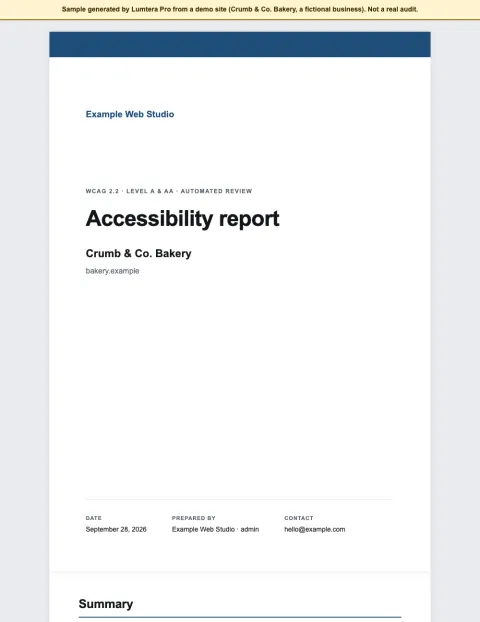
Made by Lumtera Pro on a fictional demo bakery site, and labelled as samples on every page. Not a real audit.
Sample, demo site
Client report
A white-label report: summary, the WCAG 2.2 checklist, issues with fixes, findings by page and live page checks.
Open the sample client report (PDF, 708 KB)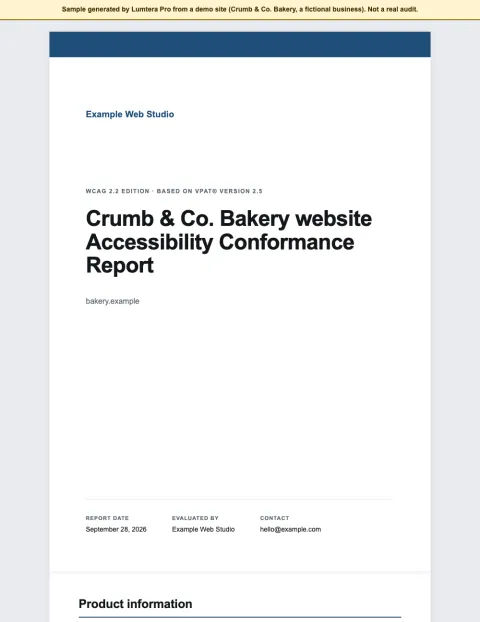
Sample, demo site
Conformance report (VPAT 2.5)
An Accessibility Conformance Report drafted from the results, with every criterion that needs a person marked for review.
Open the sample conformance report (PDF, 331 KB)
What Lumtera cannot do for you
Lumtera finds and helps fix what automated checks can find, and lists what needs a person. Your reports say so too: a score of 100 means "no automated issues found", never "compliant". Keep manual testing in your service.
Questions
Something else on your mind? Contact support
Do my clients need a Pro license each?
No. Your plan covers a number of sites (5 on Growth, 25 on Agency, no limit on Unlimited), and the client portfolio connects client sites to your hub with WordPress's own Application Passwords. Client sites can run the free plugin.
Can I remove the Lumtera name from reports?
Yes, on Growth and up. Every plan has branded reports with your logo and colors; white-label also removes the small "Generated with Lumtera" credit.
Is there a lifetime license for agencies?
Yes, while lifetime licenses are sold: Growth and Agency are available for one payment with no renewals. See the pricing page for the current prices.
Does the portfolio send client data to MantraBrain?
No. Your hub site talks directly to each client site. No MantraBrain service is in between.
Sources
Checked on September 28, 2026. General information, not legal advice.
Start with the free plugin today
All 69 content checks and 33 whole-page checks, fixes you approve with undo, and the site report — free, with no account and no page limits.