
Public API & OAuth
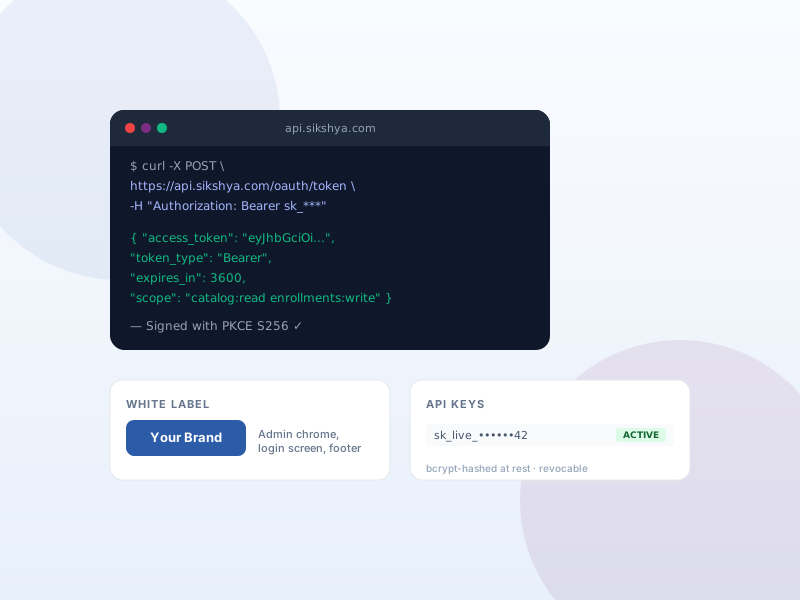
REST API for mobile apps and external integrations — OAuth 2 + API keys, bcrypt-hashed at rest, rate-limited.
Why this matters
Mobile apps, headless storefronts, partner integrations — all need to talk to Sikshya LMS programmatically. Sharing an admin password is unacceptable; the public API + OAuth flow gives every integration its own scoped, revocable credential.
What you get
- Issue named API keys for server-to-server integrations — scoped, revocable, audited.
- OAuth 2 Authorization Code + PKCE for user-delegated apps (mobile, third-party tools).
- All credentials bcrypt-hashed at rest; plaintext returned only once on creation.
- Per-key rate limiting with RateLimit-* headers; replay protection on OAuth codes.
What it unlocks
-
Named, revocable API keys
Issue a scoped key per integration — server-to-server warehouse sync, internal admin tool, partner app. Revoke any key the moment it might be exposed.
-
OAuth 2 for user apps
Authorization Code + PKCE flow for mobile apps and third-party tools acting on a learner's behalf. Replay-protected codes; bcrypt-hashed credentials at rest.
-
Rate limiting + audit
Per-key rate limits with standard RateLimit-* headers. Audit which key called which endpoint when — useful for support, billing, and abuse review.
How it works
-
1
Generate a key
In API settings, create a named API key. Sikshya shows the plaintext value once; from then on, only the bcrypt hash is stored.
-
2
Wire it into your app
Your app sends the key with each request. For user-delegated flows (mobile apps), use OAuth 2 Authorization Code + PKCE instead of a static key.
-
3
Monitor + revoke
Watch usage from the admin. If a key leaks, revoke it — every request using it fails immediately. Issue a replacement scoped to the same integration.
Frequently asked
What happens if I lose an API key?
Sikshya only stores the bcrypt hash, so the plaintext can't be retrieved. Revoke the old key and generate a new one — every integration using the lost key will need the replacement.
Is OAuth 2 required, or can I just use API keys?
Use API keys for server-to-server work where your code holds the credential. Use OAuth 2 when an app acts on behalf of a learner — for example a mobile app where each learner logs in with their own account.
Are there rate limits I should know about?
Yes — every response includes RateLimit-* headers showing your remaining quota. Default limits are generous for normal use; contact support if your integration needs a custom ceiling.
Keep exploring
Ready to ship Public API & OAuth?
Activate the Sikshya Pro Scale tier to unlock this feature. The free plugin handles everything else.