
Multi-Instructor & Co-Authors
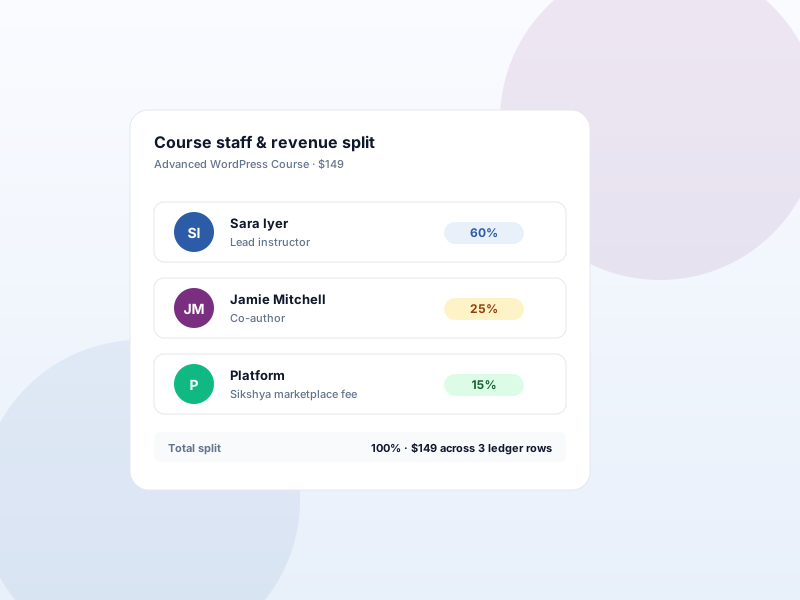
Several teachers on one course with configurable revenue splits — for teams, guest experts, or marketplace-style instructors.
Why this matters
Solo instructors don't need multi-author. Teams do. Course-creator partnerships need to split revenue automatically. Most LMS plugins force you to pick the "premium agency tier" just to add a second instructor — Sikshya LMS makes it a Growth feature.
What you get
- Add as many instructors per course as needed; assign a primary author plus co-authors.
- Configure per-instructor revenue split — totals never exceed the line item.
- Ledger rows written automatically on order completion — clean accounting trail.
- Per-course override: hide the public team, or turn off revenue recording for specific courses.
What it unlocks
-
Co-authors per course
Pick a primary author plus any number of co-instructors from the course builder. Each appears on the public team block.
-
Normalized revenue splits
Tune optional revenue weights per instructor. On order completion, Sikshya writes normalized ledger rows so totals never exceed the line item.
-
Per-course visibility controls
Each course can hide the public team block or opt out of revenue recording — useful for guest cameos or internal training.
How it works
-
1
Assign instructors
Open the course builder and add a primary author plus any co-instructors. Use existing WordPress accounts — no new logins.
-
2
Set revenue weights
Inside Course staff, tune the optional revenue split per instructor. Sikshya normalizes the weights so they always add up cleanly.
-
3
Sikshya records on every order
When an order completes, ledger rows write automatically. Pull them later for payouts, taxes, or partner reconciliation.
Frequently asked
Does this handle the actual payout to each instructor?
No. Sikshya writes the ledger rows that show what each instructor earned. Sending money to their bank or PayPal account is handled outside the plugin — by you, your accountant, or your payout service.
Can I change splits on a course after orders have come in?
Yes. New splits apply to future orders. Existing ledger rows stay as recorded, so historical accounting isn't rewritten when you adjust percentages.
Do co-instructors need WordPress admin access?
No. Pair with the Instructor Dashboard add-on so each co-instructor sees their own course numbers without needing the Editor or Admin role.
Keep exploring
Ready to ship Multi-Instructor & Co-Authors?
Activate the Sikshya Pro Growth tier to unlock this feature. The free plugin handles everything else.