
Quizzes & Auto-grading
Multiple-choice, true/false, fill-in, ordering, matching, and essay — auto-graded where the answer is objective.
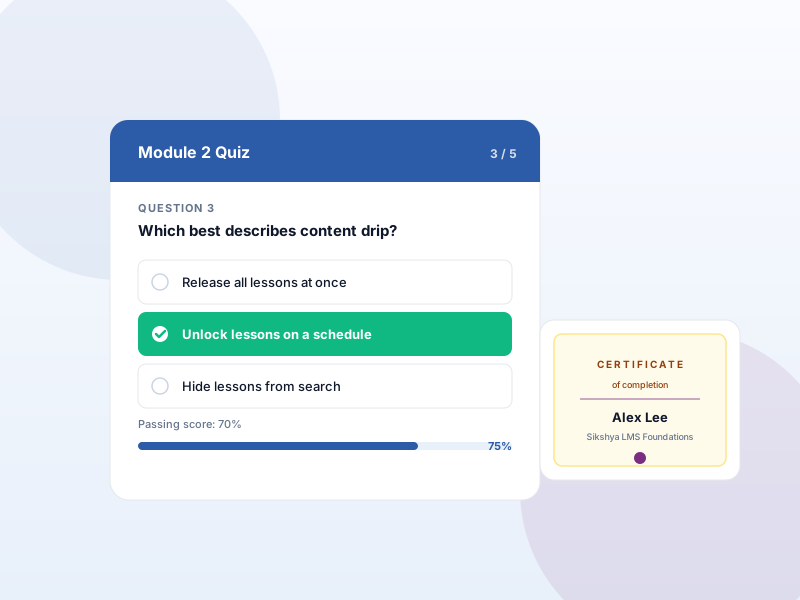
Why this matters
Assessment shouldn't require a separate plugin. Learners need testing, instructors need scoring, and both need it inside the same course experience.
What you get
- Author quizzes from the course builder — questions live alongside lessons.
- Auto-grade objective question types (multiple choice, true/false, fill-in, ordering, matching).
- Essay questions go to the instructor for manual review.
- Per-quiz controls for passing score, attempt limit, and time limit.
- Learners see which questions they got right or wrong after submitting.
What it unlocks
-
Multiple question types
Multiple choice, multiple response, true/false, fill-in, ordering, matching, and essay.
-
Attempts + timer
Limit retries per learner and enforce a per-quiz time budget.
-
Passing score
Per-quiz threshold; learners see whether they passed and their actual percentage.
How it works
-
1
Add a quiz inside a lesson
In the course builder, insert a quiz at any point in the curriculum.
-
2
Author questions
Pick the type — multiple-choice, true/false, fill-in, ordering, matching, essay. Set correct answers + point values.
-
3
Configure rules + publish
Set passing score, attempt limit, and time limit. Learners get auto-graded objective answers; essays land in the instructor's review queue.
Frequently asked
Can I create a question pool and shuffle questions per attempt?
Question pools and reusable question groups are part of the Advanced Quiz add-on on the Growth tier. Basic quizzes use the questions you authored directly inside the quiz.
Are essays auto-graded?
No — essay answers go to the instructor for manual review. Objective question types (multiple choice, fill-in, ordering, matching, true/false) are graded automatically.
Can learners see the right answer after submitting?
Yes — per-quiz setting. Show correct answers immediately, after passing only, or never (for high-stakes assessments).
Keep exploring
Ready to ship Quizzes & Auto-grading?
This feature ships in the free Sikshya LMS plugin. Install it from WordPress.org and start building.