
Professional Email Delivery & Branded Templates
Send Sikshya LMS emails through SendGrid, Mailgun, or SES — wrapped in branded HTML that matches your site.
Why this matters
Default WordPress mail lands in spam more often than not, and the plain transactional templates do not match your brand. Learners get an enrollment email that looks like 1998 — or worse, never see it because it filtered to junk. A proper SMTP delivery provider plus branded templates fixes both deliverability and presentation in one move.
What you get
- Plug in SendGrid, Mailgun, Amazon SES, Postmark, or any standard SMTP — same setting page.
- Every transactional email wrapped in branded HTML — logo, brand colors, footer with unsubscribe.
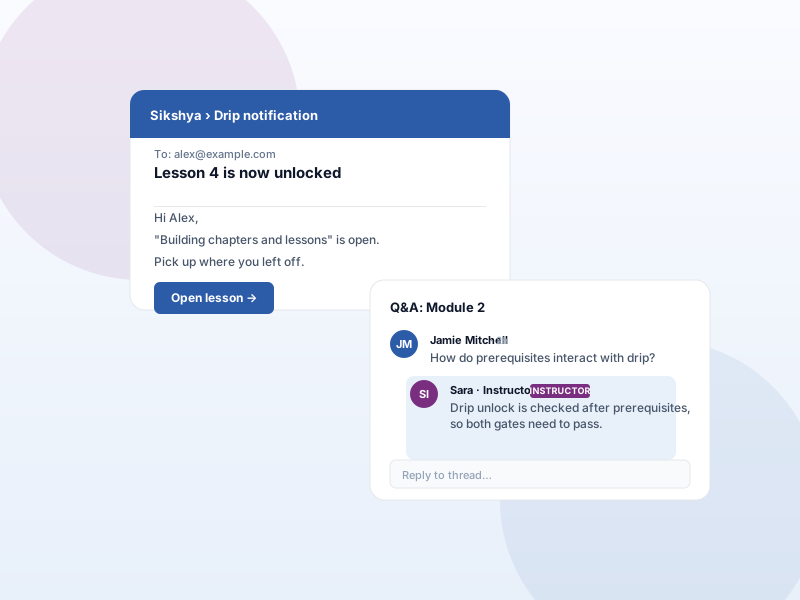
- Per-template overrides for enrollment, course completion, certificate issued, order paid, drip unlock.
- Test-send any template to your own inbox before going live.
What it unlocks
-
SMTP-grade deliverability
Bypass shared hosting's default sendmail. Outbound mail goes through your chosen provider with proper SPF/DKIM, dramatically lifting inbox-placement rates.
-
Branded HTML wrapper
Header logo, body content, footer with company name + unsubscribe. Renders consistently across Gmail, Outlook, Apple Mail.
-
Per-template overrides
Rewrite individual emails (welcome / drip / certificate / receipt) using a familiar admin editor.
How it works
-
1
Connect a provider
Paste SMTP credentials from SendGrid, Mailgun, SES, or any provider. Send a test to confirm.
-
2
Set brand colors + logo
Upload a logo and pick brand colors. Sikshya wraps every email in that branded HTML.
-
3
Override templates as needed
Visit the Email templates page in the admin to rewrite specific emails — leave the rest using the brand-wrapped default.
Frequently asked
Do I have to use SendGrid?
No — any SMTP provider works (Mailgun, Amazon SES, Postmark, your own SMTP server). Sikshya does not lock you to one.
Will the branded templates work with my existing emails?
Yes. The wrapper applies to every outbound transactional email Sikshya sends. Per-template overrides are optional — if you don't override, the brand wrapper is enough.
Does this replace the WordPress email plugin I already use?
It can. If you use WP Mail SMTP or similar, this add-on handles the same job inside Sikshya. You can run both or remove your generic SMTP plugin once Sikshya's setting is working.
Keep exploring
Ready to ship Professional Email Delivery & Branded Templates?
Activate the Sikshya Pro Growth tier to unlock this feature. The free plugin handles everything else.