
Course Discussions & Q&A
In-course conversation threads — instructor-led replies, threaded posts, moderation tools.
Why this matters
Cohort-based programs and instructor-led courses live or die on conversation. Routing learners to a Slack or Discord works for tech-savvy buyers, but most audiences need the conversation inside the course interface.
What you get
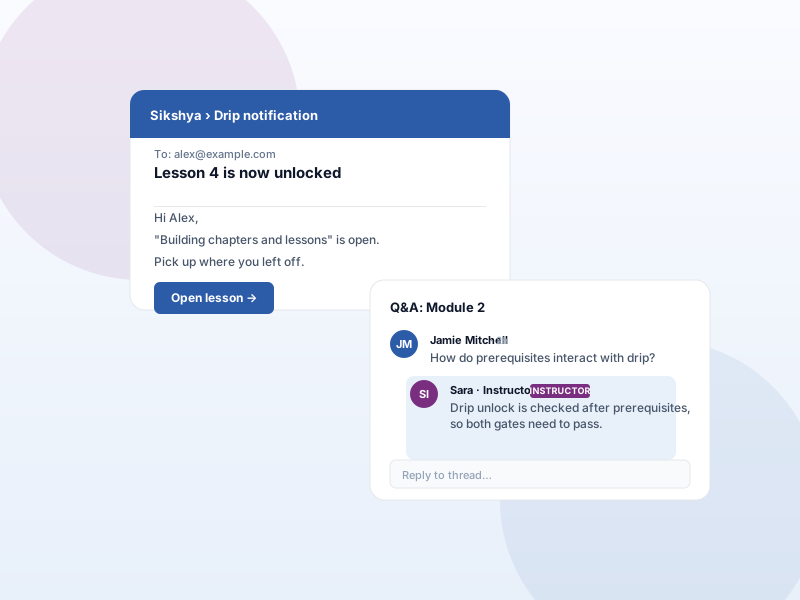
- Discussion/Q&A tab inside every learning page.
- Threaded replies with instructor highlighting and moderation controls.
- Per-course enable/disable so static knowledge-base courses can skip the discussion UI.
What it unlocks
-
In-course discussion tabs
Conversation lives inside the learning page itself — learners ask questions in context, not in a separate Slack channel where context dies.
-
Threaded replies
Replies thread so back-and-forth stays readable. Instructor responses can be highlighted so learners spot the authoritative answer.
-
Moderation controls
Moderate posts and replies from the admin. Enable per course — static knowledge-base courses can skip the discussion UI entirely.
How it works
-
1
Enable the add-on
Activate Course Discussions under Sikshya Add-ons. A discussion tab appears on each course's learning page by default.
-
2
Tune per course
In the course settings, switch discussions on or off for that course. Self-paced video libraries can stay quiet; cohorts get the full conversation.
-
3
Moderate as needed
Instructors reply directly; admins moderate from the dashboard. Highlighted instructor replies stand out so learners trust the answer.
Frequently asked
Is this a full forum like bbPress?
No. Discussions are course-scoped conversation threads designed for in-course Q&A and cohort interaction. For a site-wide forum, pair with a dedicated forum plugin.
Can I disable discussions on certain courses?
Yes. Each course has a per-course on/off toggle so static knowledge-base courses or evergreen video libraries don't show the discussion UI when it isn't needed.
Keep exploring
Ready to ship Course Discussions & Q&A?
Activate the Sikshya Pro Growth tier to unlock this feature. The free plugin handles everything else.