
Advanced Analytics & Exports
Pull enrollment, progress, and revenue data into spreadsheet-friendly exports (Excel / Google Sheets / CSV).
Why this matters
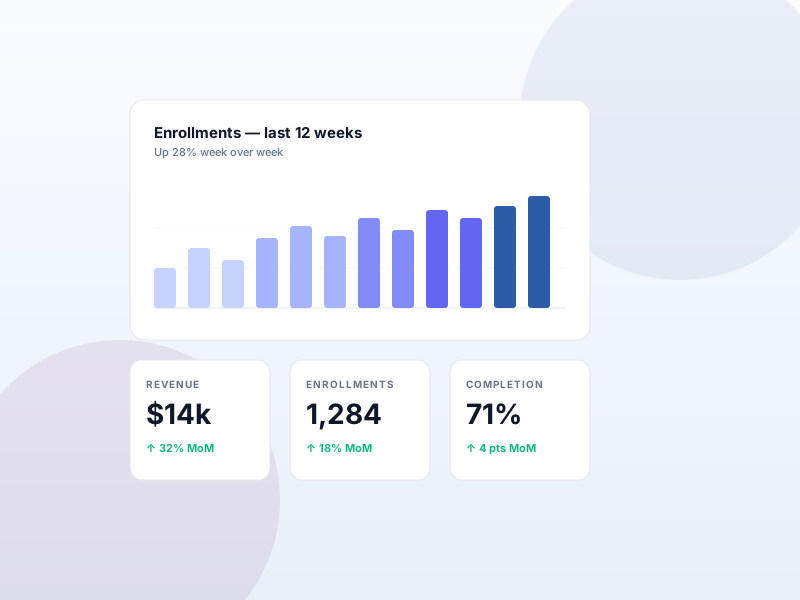
On-screen charts are fine for a quick check, but finance, grant reporting, and yearly reviews need data you can filter, pivot, archive, and hand off to people who don't have site access. The built-in dashboard answers "how are we doing right now" — advanced exports answer "show me what happened in Q3" in a format your accountant can open.
What you get
- Export enrollments, progress, completions, and order data as CSV or Excel.
- Slice by course, date range, instructor, learner cohort, completion status.
- Hand off to finance, grant administrators, or external partners without giving them site access.
- Scheduled exports (where supported by your server) — drop the file on disk for a downstream tool to pick up.
What it unlocks
-
Multi-format exports
Download structured CSV or Excel. Open in Google Sheets, Numbers, Excel, or pipe into a data warehouse.
-
Filterable slices
Filter by date range, course, instructor, completion state. Export only what you need, not the whole catalog.
-
Audit-friendly
Grant reports, finance reviews, board updates — give them a spreadsheet they can pivot on, not a screenshot.
How it works
-
1
Pick a report
Choose enrollments, progress, orders, or completions from the Reports page.
-
2
Apply filters
Narrow by course, date range, instructor, or learner cohort.
-
3
Export
Download CSV or Excel. Open in your tool of choice.
Frequently asked
Do exports include personal data?
They include learner names and emails when relevant to the report (e.g., enrollment exports). Treat the file as PII — store and transmit accordingly under GDPR / your local privacy regime.
What's the row limit?
Practical limit is your server's memory and Excel's row cap (~1M rows). For larger catalogs, filter by date range or course to keep exports manageable.
Is the dashboard chart view still available on Growth?
Yes. The free plugin's basic reports + this add-on coexist. Use the dashboard for the daily glance, exports for offline analysis.
Keep exploring
Ready to ship Advanced Analytics & Exports?
Activate the Sikshya Pro Growth tier to unlock this feature. The free plugin handles everything else.