
Enterprise Reporting
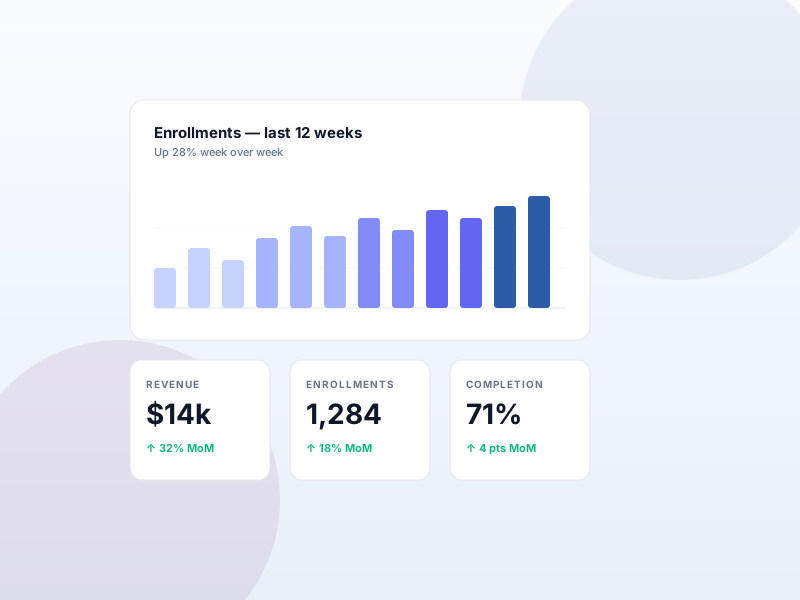
Schedule a weekly email summary of enrollments, completions, and revenue to a chosen inbox.
Why this matters
Executives and team leads don't log into the LMS dashboard every day. A short, scheduled email summary keeps them informed without forcing a check-in.
What you get
- Weekly recap emails sent to a chosen inbox.
- Plain-language summary aimed at directors and team leads, not analysts.
What it unlocks
-
Weekly executive recap
Sikshya emails a short summary of the week's enrollments, completions, and revenue to your chosen inbox — no dashboard login required.
-
Plain-language for leaders
Written for directors and team leads, not data analysts. Skim it on mobile in 30 seconds and know how the program is doing.
-
Set it and forget it
Pick the inbox; Sikshya handles the rest. Pair with the Advanced Reports add-on if a recipient asks for the underlying numbers.
How it works
-
1
Enable Enterprise Reporting
Activate the add-on under Sikshya Add-ons. A reporting settings page appears with the recipient inbox and cadence controls.
-
2
Set the recipient
Add the email address(es) that should receive the weekly recap — typically the program owner, a department head, or a shared exec inbox.
-
3
Sikshya sends weekly
Every week, Sikshya emails the summary. Leaders stay informed; you stop fielding "how are enrollments looking?" pings.
Frequently asked
Can I change the schedule?
The default cadence is weekly. Custom cadences may be available depending on your setup; check the docs or contact support if you need a different schedule.
Keep exploring
Ready to ship Enterprise Reporting?
Activate the Sikshya Pro Scale tier to unlock this feature. The free plugin handles everything else.