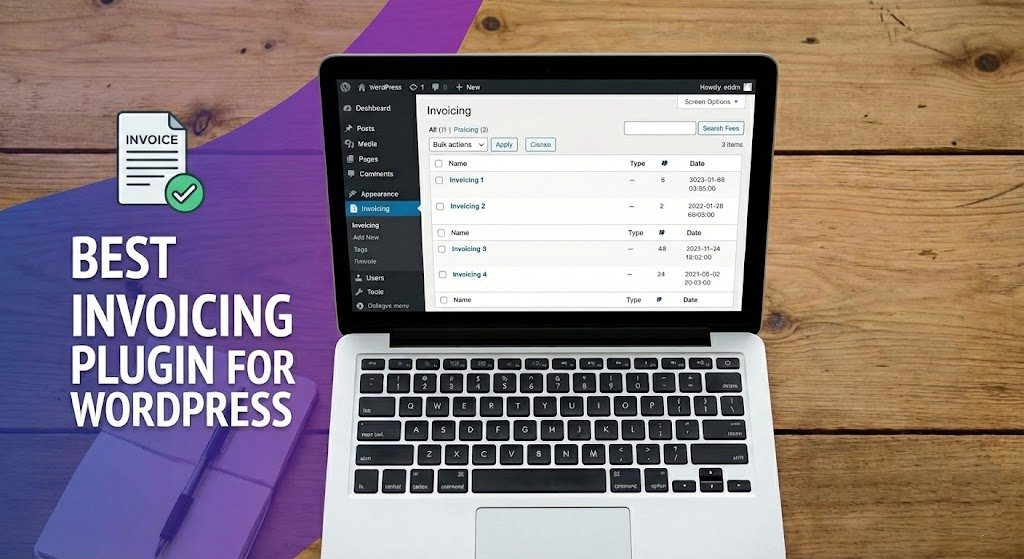

Looking for the best WordPress invoice plugin in 2026 to stop wasting hours on manual billing? You’re in the right place. We’ve tested and compared the top invoicing plugins available on WordPress.org — covering everything from freelancer-friendly free tools to full client-portal Pro suites for agencies — and ranked them honestly by what actually matters: setup time, free-tier limits, payment gateways included, and total cost over 12 months.
This guide leads with Easy Invoice by MatrixAddons because, after testing all 6 plugins below, it’s the only one that combines an unusually generous free tier (unlimited invoices, quotes, PDFs, PayPal — no upsell to send a confirmation), a lifetime Pro license option, and a complete Pro toolkit (recurring billing, client portal, 9 payment gateways, QuickBooks & Xero sync). For freelancers and small-to-mid agencies, it’s the fastest path from “manual spreadsheet hell” to “automated billing in 10 minutes.”
Looking beyond WordPress plugins? See our broader guide to the best invoice software in 2026 — covering FreshBooks, Wave, Zoho Invoice, QuickBooks, Xero and other SaaS alternatives alongside Easy Invoice. The 5-year cost comparison alone explains why we still recommend Easy Invoice for any business already running WordPress.
Quick Comparison: Best WordPress Invoice Plugins (2026)
| Plugin | Best For | Free Tier | Pro Pricing | Recurring Billing |
|---|---|---|---|---|
| Easy Invoice | Freelancers, agencies, consultants — all-around best | Unlimited invoices + PayPal + PDFs + quotes | One-time lifetime license | ✅ Pro |
| Sliced Invoices | Quote-heavy service businesses | Invoices + PDF + multi-currency | Paid extensions per feature | ✅ Paid add-on |
| Sprout Invoices | Established agencies needing time-tracking | Limited | From $39/yr | ✅ Pro |
| WP-Invoice | Basic free option, hobby use | Invoice + PDF + online payment | Free only | ❌ |
| WooCommerce PDF Invoices & Packing Slips | WooCommerce store owners | Auto-PDF invoices for Woo orders | Pro from ~$59/yr | N/A (uses Woo subscriptions) |
| Sprout Invoices Premium | Agencies needing Zapier + 2000+ integrations | None — paid-only Premium | From $129/yr | ✅ Built-in |
What to Look for in a WordPress Invoice Plugin
Before installing anything, know what actually matters for your business. After helping hundreds of freelancers and agencies migrate from spreadsheets, paper books, and overpriced SaaS like FreshBooks ($21–$65/month) or QuickBooks Online ($35–$235/month), here’s our checklist:
- Unlimited invoices on the free tier — Some “free” plugins cap you at 5–10 invoices/month. Avoid those for any real client work.
- PDF generation built-in — Your client expects a downloadable, branded PDF invoice. This should not require a paid add-on.
- At least PayPal in the free version — Stripe and other gateways are usually paid extensions across every major plugin in this category.
- Quotes / estimates — If you ever send a proposal before invoicing, you need quote-to-invoice conversion built in.
- Recurring invoices — Essential if you have retainer clients, subscription products, or monthly retainers. Saves hours per month.
- Automated payment reminders — Late payments are the #1 cash-flow killer for freelancers. Automated reminders convert ~30% more invoices to paid.
- Client portal — For agencies, a portal where clients can view, download, and pay invoices reduces support tickets dramatically.
- Accounting sync (QuickBooks / Xero) — Saves your accountant’s time and eliminates double-entry errors.
- WooCommerce coexistence — Your invoicing plugin should work whether or not you run WooCommerce.
- Lifetime pricing option — Yearly renewals get expensive fast. A one-time license pays for itself in 2–3 years.
With that framework in mind, here are the six WordPress invoicing plugins we’d actually recommend in 2026 — starting with our top pick.
1. Easy Invoice — Best Overall WordPress Invoice Plugin (2026)
Easy Invoice by MatrixAddons is the WordPress invoicing plugin we now recommend by default to freelancers, agencies, and small businesses. It hits the sweet spot most other plugins miss: the free version on WordPress.org is fully functional (unlimited invoices, quotes, PDFs, PayPal, client management — none of it gated), and the Pro upgrade delivers the things that actually move the needle (recurring billing, automated reminders, client portal, 9 payment gateways including Stripe, QuickBooks & Xero sync).
Most importantly: Easy Invoice Pro is sold as a one-time lifetime license, not a recurring subscription. While competitors charge $39–$129/year forever, Easy Invoice locks in your features once and never bills you again. For a long-running business, that compounds into thousands of dollars saved.
What’s in the Free Easy Invoice Plugin
- Unlimited invoices & quotes — No monthly caps, no trial period, no upsell to send a confirmation email.
- Professional PDF generation — Branded, downloadable PDF invoices and quotes out of the box.
- PayPal payment integration — Accept PayPal payments directly through invoice links. Free, no add-on required.
- Client management — Store unlimited client records with billing details, contact info, and full invoice history.
- Quote-to-invoice conversion — Click once to convert an approved quote into an invoice. No re-typing data.
- Invoice cloning — Duplicate any past invoice as the basis for a new one. Saves enormous time for retainer-style clients.
- Auto-incrementing invoice numbers with custom prefixes (e.g., INV-2026-001) — required for proper bookkeeping.
- Tax calculations — Built-in VAT/GST/sales tax handling with per-line-item rates.
- Email notifications — Branded HTML emails when invoices are sent, viewed, and paid.
- Works without WooCommerce — Runs completely standalone. No Woo dependency, no checkout conflict.
What Easy Invoice Pro Adds (19 Pro Addons)
- 9 premium payment gateways — Stripe, Square, Authorize.Net, Mollie, Razorpay, Paystack + more. Stop forcing PayPal-only on your clients.
- Recurring billing — Set monthly retainers, quarterly subscriptions, or annual contracts. Auto-charges on schedule.
- Automated payment reminders — Configurable email sequences (e.g., “due in 7 days,” “overdue 3 days,” “overdue 14 days”). Major late-payment reducer.
- Client portal — Branded login area where clients view, download, and pay invoices themselves. Cuts support tickets dramatically.
- Partial payments — Accept deposits, milestone payments, or installments on a single invoice.
- QuickBooks Online sync — Two-way sync of invoices, payments, and clients with QuickBooks. Eliminates double-entry.
- Xero integration — Same as QuickBooks, but for Xero users.
- CSV export & reports — Revenue reports, client-level reports, tax reports — all exportable for your accountant.
- Advanced PDF customization — Multiple templates, custom fields, white-label branding, logo placement.
- Lifetime updates & support — Pay once, use forever. No annual renewal email ever.
Easy Invoice Pros & Cons
✅ Pros
- Genuinely unlimited free tier (no invoice caps)
- One-time lifetime license — no SaaS treadmill
- 9 payment gateways including Stripe + regional options
- QuickBooks & Xero sync built-in (Pro)
- Works with or without WooCommerce
- Quote-to-invoice conversion built-in (free)
- Lightweight — doesn’t slow your site
- Beginner-friendly setup (under 10 minutes)
⚠️ Cons
- Recurring billing & reminders require Pro
- Client portal is a Pro feature
- Stripe gateway requires Pro
- Newer than Sprout Invoices — smaller third-party tutorial library
Who Easy Invoice Is Best For
- Freelancers — designers, developers, writers, consultants who bill 5–50 clients/month and want to stop juggling spreadsheets.
- Small agencies — 3–20 person shops with multiple retainer clients needing recurring billing.
- Service-based small businesses — accountants, lawyers, marketing agencies, IT consultancies who need professional PDFs + payment links.
- Anyone tired of FreshBooks / QuickBooks Online subscription fees — Easy Invoice Pro pays for itself in 4–6 months versus typical SaaS costs.
- Existing WordPress site owners — if you already have WordPress, adding Easy Invoice means one less external tool to learn and pay for.
2. Sliced Invoices — Best for Quote-Heavy Service Businesses
Sliced Invoices is the established alternative with 7,000+ active installs on WordPress.org. It’s been around since 2015 and earned its reputation by nailing one workflow really well: the quote → invoice → payment cycle for service businesses who almost always send a quote before billing.
The free version handles unlimited quotes and invoices with PDF generation, multi-currency support, multi-language templates, and online payment integration. The catch: most advanced features (recurring invoices, payment gateways beyond PayPal, automated reminders) require buying separate paid extensions, which can add up if you need several.
Key Features of Sliced Invoices (Free)
- Unlimited quotes and invoices
- Customizable PDF templates
- One-click quote-to-invoice conversion
- Multi-currency & multi-language support
- PayPal & Stripe (basic) gateway integration
- Client management with full history
Best for: businesses that send proposals/quotes before every invoice (web design agencies, contractors, consultants). Pick Easy Invoice instead if you want recurring billing, client portal, or QuickBooks sync without paying for multiple add-ons separately.
3. Sprout Invoices — Best for Agencies With Time-Tracking Needs
Sprout Invoices is a more enterprise-flavored option with 2,000+ active installs and a premium-first philosophy. The free version is intentionally limited; the real value is in the paid tiers starting at $39/year (Personal) and going up to $129/year for the Agency plan with full Zapier integration and 2,000+ app connectors.
Key Features of Sprout Invoices (Paid)
- Full-cycle invoicing + payment + time-tracking in one plugin
- Recurring invoices and subscriptions
- Project-level time tracking with billable hours
- Zapier integration to 2,000+ apps
- Client management + reporting dashboards
- 20+ payment gateway add-ons
Best for: agencies that bill by the hour and need integrated time-tracking. Pick Easy Invoice instead if you bill by the project/retainer and don’t need time-tracking — you’ll get equivalent invoicing features for a one-time fee instead of annual subscription.
4. WP-Invoice — Basic Free Option for Hobby Use
WP-Invoice is the granddaddy of WordPress invoicing — one of the first plugins in this category, completely free, no paid tier. Active installs are modest (~1,000) and the UI shows its age, but for occasional invoicing on a personal site it gets the job done.
Key Features of WP-Invoice
- Create invoices with line items, taxes, discounts
- Basic PDF export
- PayPal & Stripe payment links
- Email invoice delivery
- 100% free, no upsell
Best for: hobby use, freelancers billing fewer than 5 clients/month, anyone allergic to upsells. Pick Easy Invoice instead if you want modern UI, recurring billing, automated reminders, or any payment gateway beyond PayPal/Stripe basic.
5. WooCommerce PDF Invoices & Packing Slips — For WooCommerce Stores
If you run a WooCommerce store, this is the de facto plugin for auto-generating PDF invoices and packing slips for every order. 700,000+ active installs — by far the most popular invoicing-adjacent plugin on WordPress.org — built specifically to attach branded PDF invoices to WooCommerce order confirmation emails.
It’s not a standalone invoice plugin (you can’t create invoices manually for non-Woo clients), but for any WordPress site that runs WooCommerce, it complements your store perfectly.
Key Features of WooCommerce PDF Invoices
- Auto-generates branded PDF invoices for every WooCommerce order
- Attached to order confirmation emails automatically
- Customizable templates with company logo
- Sequential invoice numbering with prefixes
- Bulk PDF export for accounting
- Multi-language and multi-currency support
Best for: WooCommerce store owners who need PDF invoices on every order. Pick Easy Invoice instead if you also invoice clients outside of WooCommerce (services, retainers, consulting) — you’d want one plugin that handles both manual invoices and store invoices.
6. Easy Digital Downloads (with Invoices add-on) — For Digital Product Sellers
If your business sells digital products (themes, plugins, ebooks, stock photos), Easy Digital Downloads (EDD) with the Invoices add-on is purpose-built for you. EDD handles the entire transaction (cart, checkout, license keys, downloads) and the Invoices extension generates compliant PDF invoices for every sale — useful for EU VAT MOSS, GST reporting, and tax filing.
Key Features of EDD + Invoices
- Complete digital storefront with cart and checkout
- Auto-PDF invoices for every digital sale
- EU VAT, GST, and tax-compliant invoice formats
- License key management for software products
- Recurring payments add-on available
- Customer portal with download history
Best for: theme shops, plugin developers, digital course creators, stock-asset sellers. Pick Easy Invoice instead if your invoicing is for services rather than digital products — EDD’s strength is the transaction layer, not freeform client invoicing.
How to Choose the Right WordPress Invoice Plugin
Six options is great when you’re researching, paralysing when you’re picking. Here’s our quick decision tree:
- Freelancer or agency invoicing clients for services? Pick Easy Invoice. Best free tier, lifetime Pro pricing, everything you need built in.
- Service business sending lots of quotes/proposals? Sliced Invoices nails the quote-first workflow.
- Agency that bills hourly and tracks time? Sprout Invoices bundles invoicing + time-tracking.
- Running a WooCommerce store? WooCommerce PDF Invoices & Packing Slips for store invoices. Add Easy Invoice on top if you also bill non-Woo clients.
- Selling digital products? Easy Digital Downloads with the Invoices add-on.
- Just need to send 1-2 invoices a month, free forever? WP-Invoice works.
Frequently Asked Questions
What is the best free WordPress invoice plugin?
Easy Invoice is the best free WordPress invoice plugin for most users in 2026. The free tier includes unlimited invoices and quotes, PDF generation, PayPal payments, client management, tax calculations, and email notifications — none of which are gated behind a paywall. Most competing free plugins cap invoices, require add-ons for PDFs, or upsell you on basic features like email delivery.
Do I need a WordPress invoice plugin if I have WooCommerce?
If your only invoices are for WooCommerce orders, you can use WooCommerce PDF Invoices & Packing Slips to auto-attach PDF invoices to order emails. But if you also invoice clients for services, retainers, or consulting (outside the Woo cart), you need a standalone invoice plugin like Easy Invoice — it runs alongside WooCommerce without conflict and handles freeform client billing that Woo’s order system isn’t built for.
Can WordPress invoice plugins handle recurring billing?
Yes — recurring invoicing is one of the most-requested features and is supported by Easy Invoice Pro, Sprout Invoices, and Sliced Invoices (via paid extension). Free versions across the category typically don’t include recurring billing because it requires storing a tokenised payment method, which means integrating with a paid card gateway like Stripe. Expect to pay for Pro if recurring is essential to your workflow.
Which WordPress invoice plugin works with Stripe?
All the top plugins support Stripe in their Pro versions: Easy Invoice Pro (along with 8 other gateways including Square, Authorize.Net, Mollie, Razorpay, Paystack), Sliced Invoices (Stripe add-on), and Sprout Invoices (Stripe add-on). The free tier across all plugins typically includes only PayPal, since Stripe requires gateway-fee handling that vendors gate behind Pro.
Can I sync WordPress invoices with QuickBooks or Xero?
Yes — Easy Invoice Pro ships QuickBooks Online and Xero sync built into Pro at no extra add-on cost. This eliminates double-entry between your WordPress site and your accountant’s books. Other plugins typically require a third-party Zapier connection (extra monthly cost) to achieve the same sync, or don’t support it at all.
How much does a WordPress invoice plugin cost in 2026?
Free tier: $0 for the basics (Easy Invoice, Sliced Invoices, WP-Invoice). Pro tier: $39–$129/year for Sprout Invoices Pro; per-add-on pricing for Sliced Invoices (can add up to $200+); one-time lifetime license for Easy Invoice Pro (best long-term value). Compared to SaaS alternatives like FreshBooks ($21–$65/month) or QuickBooks Online ($35–$235/month), a WordPress invoice plugin pays for itself in 2–4 months.
Can WordPress invoice plugins generate tax-compliant invoices?
Yes — all the major plugins (Easy Invoice, Sliced Invoices, Sprout Invoices) support per-line-item tax calculations (VAT, GST, sales tax) with customizable rates. For EU VAT MOSS or other regional compliance requirements, also check that the plugin supports reverse-charge invoicing and sequential invoice numbering (which Easy Invoice Pro does out of the box).
Will an invoice plugin slow down my WordPress site?
Properly built invoice plugins are lightweight because they only load on admin pages and specific frontend routes (invoice view, payment confirmation). Easy Invoice is specifically engineered to stay below 200KB of front-end assets and won’t affect Core Web Vitals on your public pages. Heavier plugins with complex client portals can add front-end weight — check the plugin’s “Tested with Speed” metrics if performance is critical.
Final Recommendation
If you stopped reading here and just installed one plugin, here’s what to do: install Easy Invoice today. You’ll send your first professional PDF invoice within 10 minutes, take PayPal payments immediately, and have a clear upgrade path to Pro (one-time lifetime fee, no SaaS treadmill) when you need recurring billing, Stripe, client portal, or QuickBooks sync.
Manual invoicing — spreadsheets, paper invoices, copy-pasting templates in Google Docs — is the silent productivity killer for freelancers and small agencies. Every hour you save on invoicing is an hour you can bill, prospect, or take off. Easy Invoice (free) gets you there faster than any other plugin we tested.
Related Reading
- Best invoice systems compared — Broader comparison covering FreshBooks, Wave, QuickBooks, Xero and other SaaS alternatives alongside Easy Invoice.
- Easy Invoice — Complete Feature Tour — Deep dive into every Easy Invoice feature, free and Pro.
- Best Free WordPress Travel Plugins (2026) — Same in-depth analysis applied to the travel-booking plugin category.
- 8 Popular WordPress Watermark Plugins — Protect your invoice PDFs and brand assets.